Features

Everything between “can I get a quote?” and the order.

A quote button for your customers and a quote pipeline for you. Every feature is in the one plan.

01 — Storefront

A quote button on your cart

Customers get a quote in one click, without leaving your store or creating an account.

  • Placed under your checkout button, on the cart page and in the cart drawer
  • A floating button: on the cart page, every page, or once the cart has items
  • A theme block you can put anywhere
  • A popup for name, company, email, phone, tax ID, address and a note: each hidden, optional or required
  • Filled in for logged-in customers; “Email me a copy” sends it to their inbox
  • For everyone, or for logged-in customers only
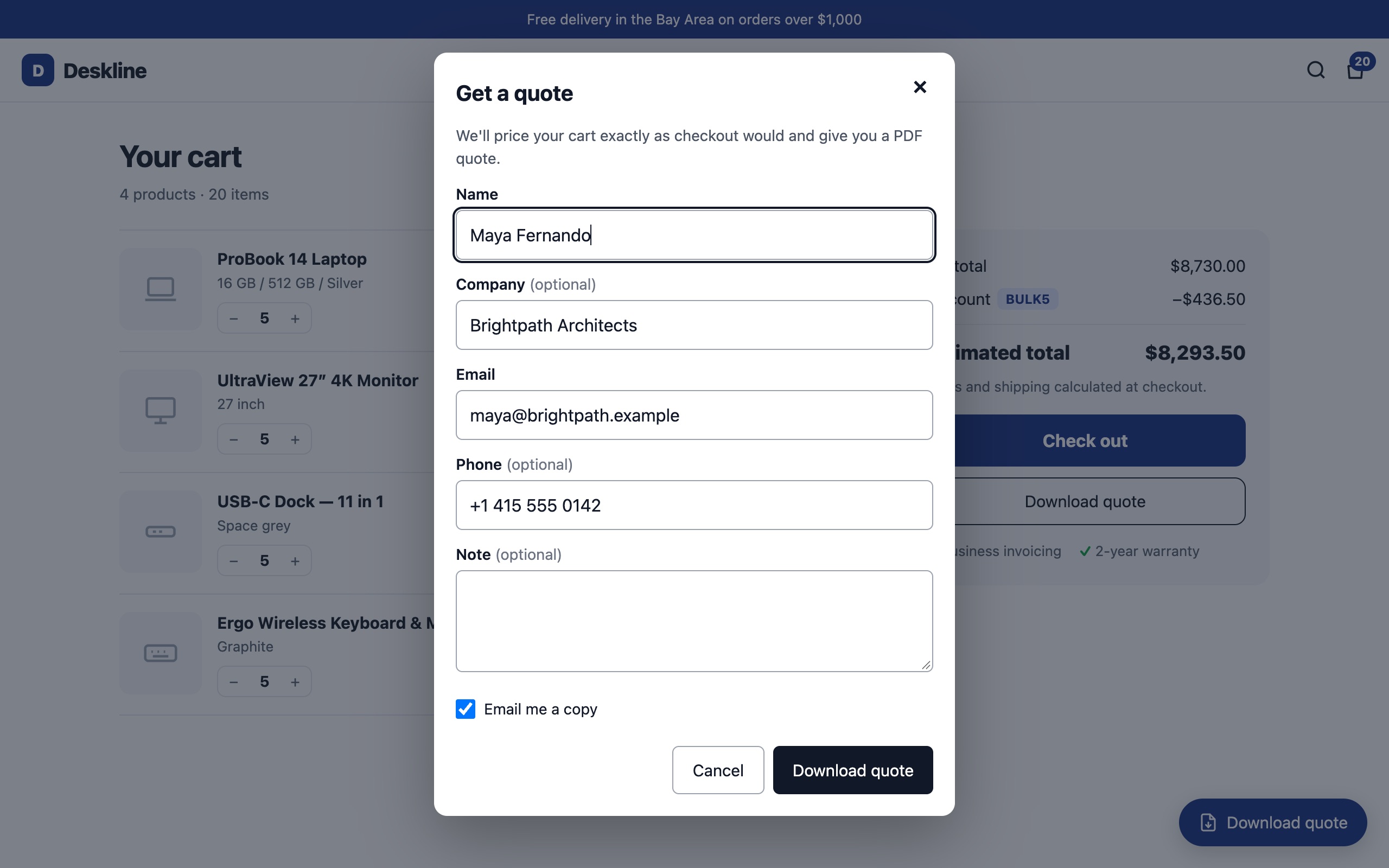
The sample IT store's cart on a laptop with the Get a quote popup open.
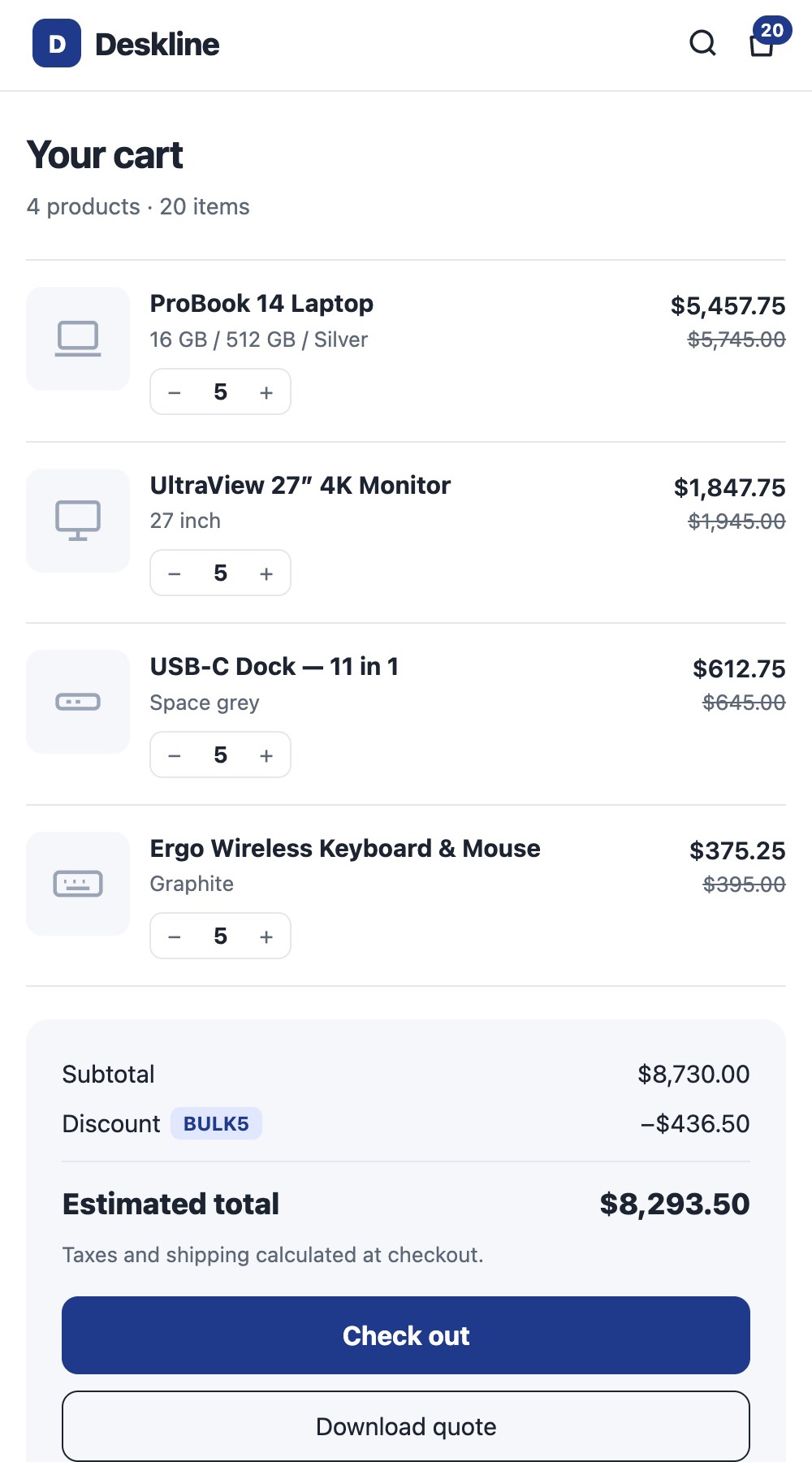
The same cart on a phone, with the Download quote button under Check out.

02 — Pricing

Priced by Shopify, never guessed

A quote is a price promise. QuoteLoop asks Shopify to calculate every quote, the same way checkout does.

  • Your prices, automatic discounts and discount codes
  • Tax for the buyer's address, shown by rate
  • The buyer's currency
  • Shipping says “calculated at checkout” instead of a guess
  • Every PDF says who priced it and when

Q-0042 Priced by Shopify

Subtotal$8,730.00
DiscountBULK5 from the cart−$436.50
CA State Tax8.625% for the buyer's address$715.31
ShippingAt checkout
Total$9,008.81

03 — The PDF

A branded quote your customer can act on

Set it up once on the Quote PDF page, with a live preview made from your own products.

  • Your logo, business details, tax numbers, colour and font
  • Quote numbers with your prefix, and a validity period
  • “Accept & checkout” button and QR code open checkout with the quoted items and codes
  • English, French, German, Spanish, Italian, Dutch, Portuguese, or the shopper's language; change any word
  • Product photos, options, SKUs, your terms and a footer note
  • Long quotes run over pages, with the table header on each

Open a sample PDF

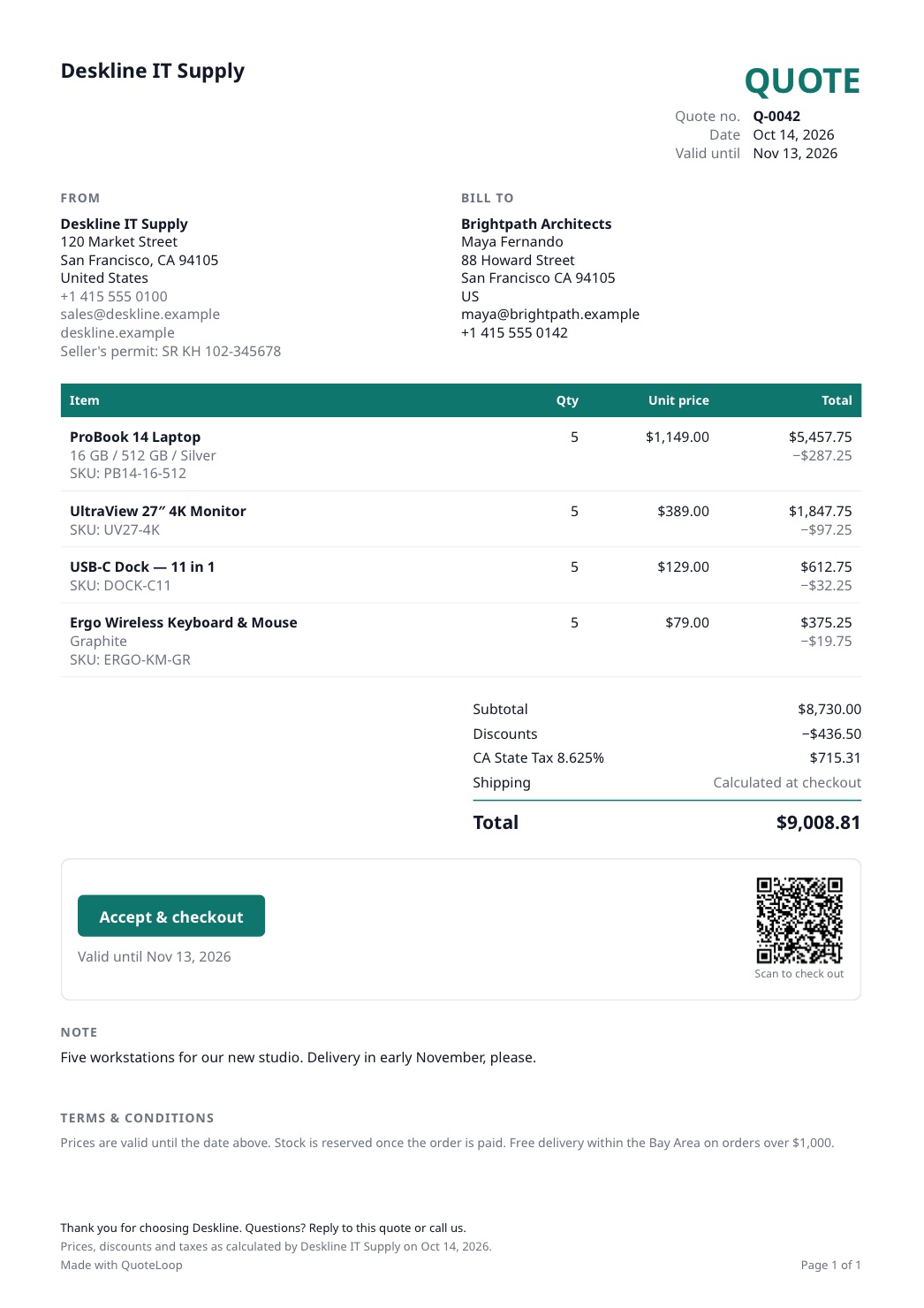
A QuoteLoop PDF quote with four products, discounts, tax, a total of $9,008.81 and an Accept and checkout button with a QR code.

04 — Pipeline

Every quote, in one place

Quotes from your store and quotes you make yourself, in your Shopify admin.

  • Stats: quotes, quoted value, conversion and revenue won, per currency
  • Search and filter by status and period; bulk archive or decline; CSV export
  • Follow-ups: a stage, a next date and a notes log for calls, emails, WhatsApp and meetings
  • A daily summary email of follow-ups due and quotes about to expire
  • A timeline of everything that happened to each quote
  • Quotes expire on their valid-until date; extend them in one click
Atlas LogisticsQ-0040 · In discussion · call
Today
Northgate ClinicQ-0041 · Waiting on customer
Today
Harbor & Co.Q-0039 · Not contacted
Fri
Kestrel StudiosQ-0037 · Follow up later
Nov 3

05 — Emails

Emails that bring customers back

Sent from QuoteLoop with your store's name. Replies come straight to you.

  • Email the quote with the PDF and a personal message, in the quote's language; resend any time
  • An online quote page on your own store: Accept & checkout, Accept & pay, or download
  • See when the email is opened or the quote page viewed
  • Optional reminders a few days before a quote expires
  • An alert to you for every new quote from your store
Quote emailed to Maya FernandoQ-0042 · PDF attached
Customer opened the emailQ-0042 · 12 minutes later
Quote page viewedOn deskline.example

06 — Edit and convert

Negotiate without losing track

Buyers negotiate. QuoteLoop keeps every version straight.

  • Edit as a new revision: quantities, your own prices, products or custom items, an extra discount with a reason
  • Version history shows what changed; the original is kept as sent
  • Create quotes in the admin for phone and email enquiries
  • Convert to a Shopify draft order, with today's price next to the quoted one, and send Shopify's invoice
  • Mark as declined, or reopen if the customer comes back
Q-0040 → Q-0040-R1
Unit price · ProBook 14$1,149.00$1,099.00
Installation (custom item)+ $350.00
Extra discount · Bulk order−3%
Valid untilNov 2Nov 16

07 — Won orders

Won means there's an order

A quote only counts as Won when there's a sale behind it, so your conversion rate means something.

  • Automatic when the customer orders through Accept & checkout or pays the draft order invoice
  • Link an online, POS or draft order by its number
  • Record a sale made outside Shopify: in store, by bank transfer or by phone
  • Revenue counts what was actually paid
CreatedSentViewedWon · $9,008.81

08 — Privacy

Careful with your customers' data

Quotes hold your customers' details, so privacy is built in.

  • Only the popup fields you turn on are saved
  • Personal details erased automatically two years after a quote expires
  • An access log of who opened quotes, downloaded PDFs or exported lists
  • Data deleted when Shopify asks, and 48 hours after you uninstall
  • Hosted in Singapore, on encrypted connections

How we keep data safe

Viewed quote Q-0042Staff 7412 · today 09:41
View
Downloaded PDF Q-0041Staff 7412 · today 09:38
PDF
Exported quotes (CSV)Staff 2290 · yesterday
CSV

Try every feature free for 14 days.

One plan with everything: $5.99 a month or $57.99 a year after your trial.